
How to save an event and follow an organizer
Save a specific event to return to it later, and follow its organizer to hear about their future events.
Where to find it in Gnezdo
Event page → Heart · Organizer page → Follow
Save an event
Select the heart on the event card or event page. Select it again to remove the event from your saved list.
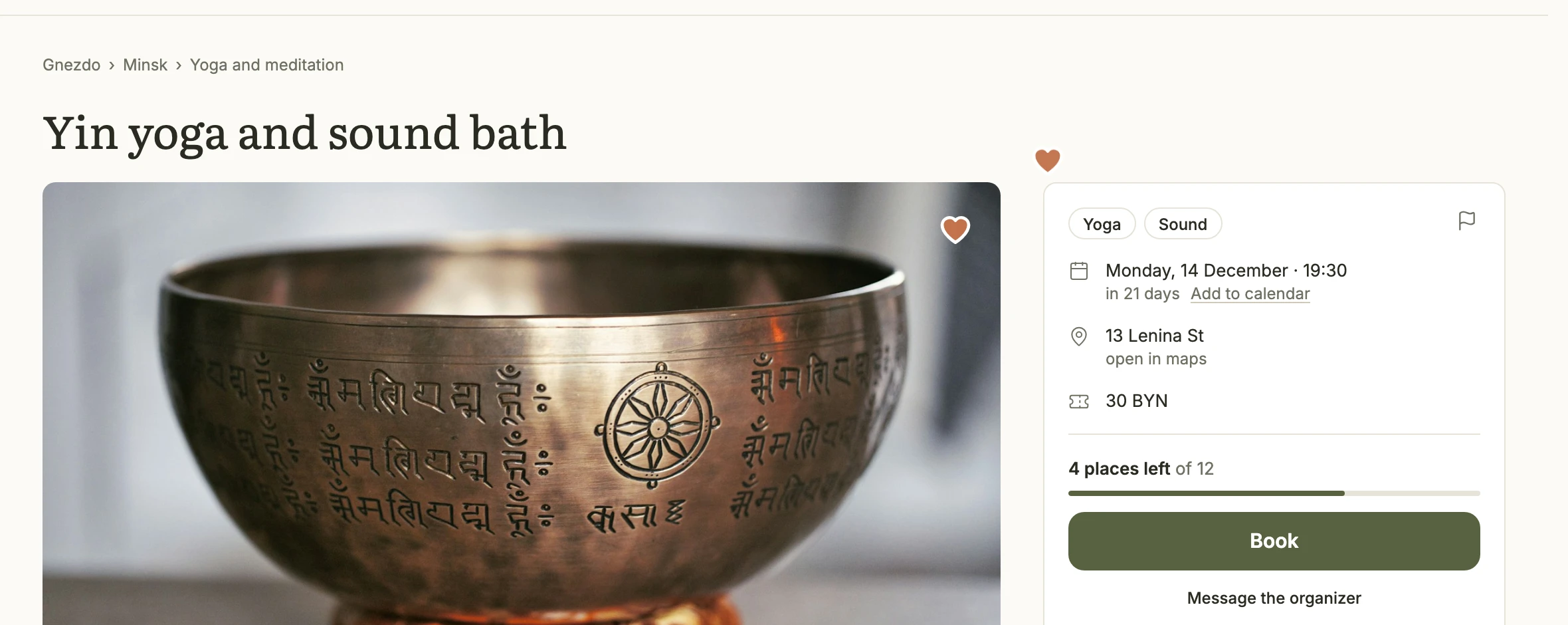
The heart saves this particular event. Find your saved events
Open Saved in the menu. While you are signed out, the list stays in this browser. Sign in to access your saved events from your profile on different devices.
Follow the organizer
Select Follow on the organizer or event page. If you’re signed out, select Continue in Telegram and confirm sign-in. If you’re signed in and Telegram isn’t linked, select Connect Telegram. New announcements arrive in the Gnezdo bot. Manage your follows from your profile or the bot.

You can follow the organizer from an event page too.


If you want a reminder
Add the event to your calendar from its page or connect Telegram reminders. Saving the event does not reserve a place.
How to find an event in your city