
What to do if an event moves or is cancelled
Open the session you planned to attend. Dates in a recurring series can change individually.
Where to find it in Gnezdo
Event page → Date and time
Check the new date
Open the event from a notification or from Saved. Check the current date, time and venue. If the page shows that the event was moved, it displays the previous time as well. Update the date in your calendar if you added it there.
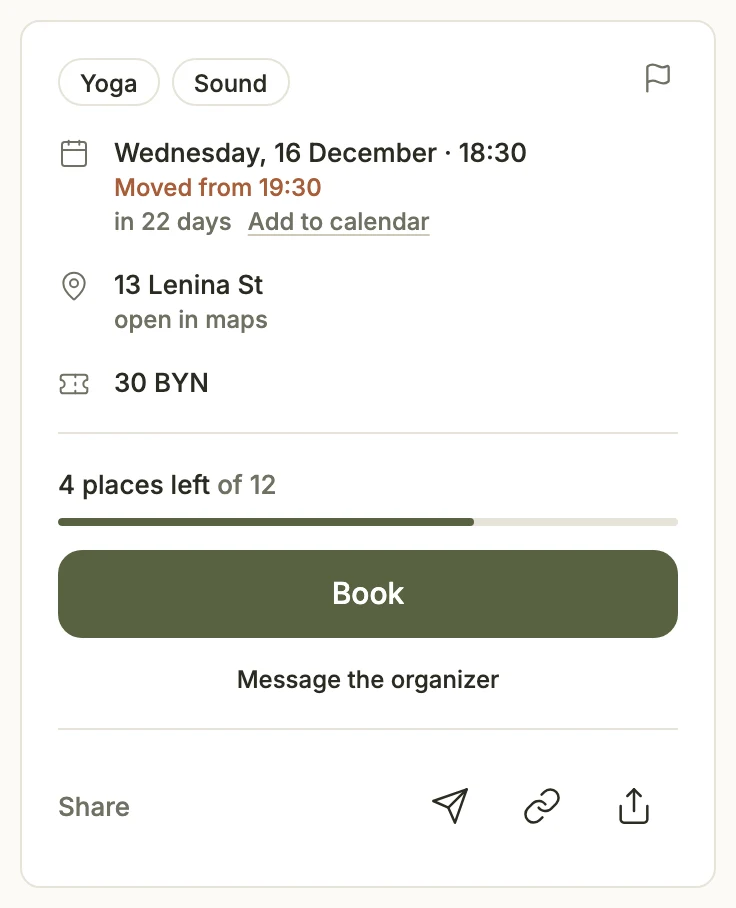
The event page shows the new time and marks the move. Check your booking
If you booked while signed in, open Saved and find Your bookings. If you booked as a guest, open the booking management link if you received one. If the organizer confirms that the event is cancelled, use that message as your reference. You can check the status of your individual booking through the management link.
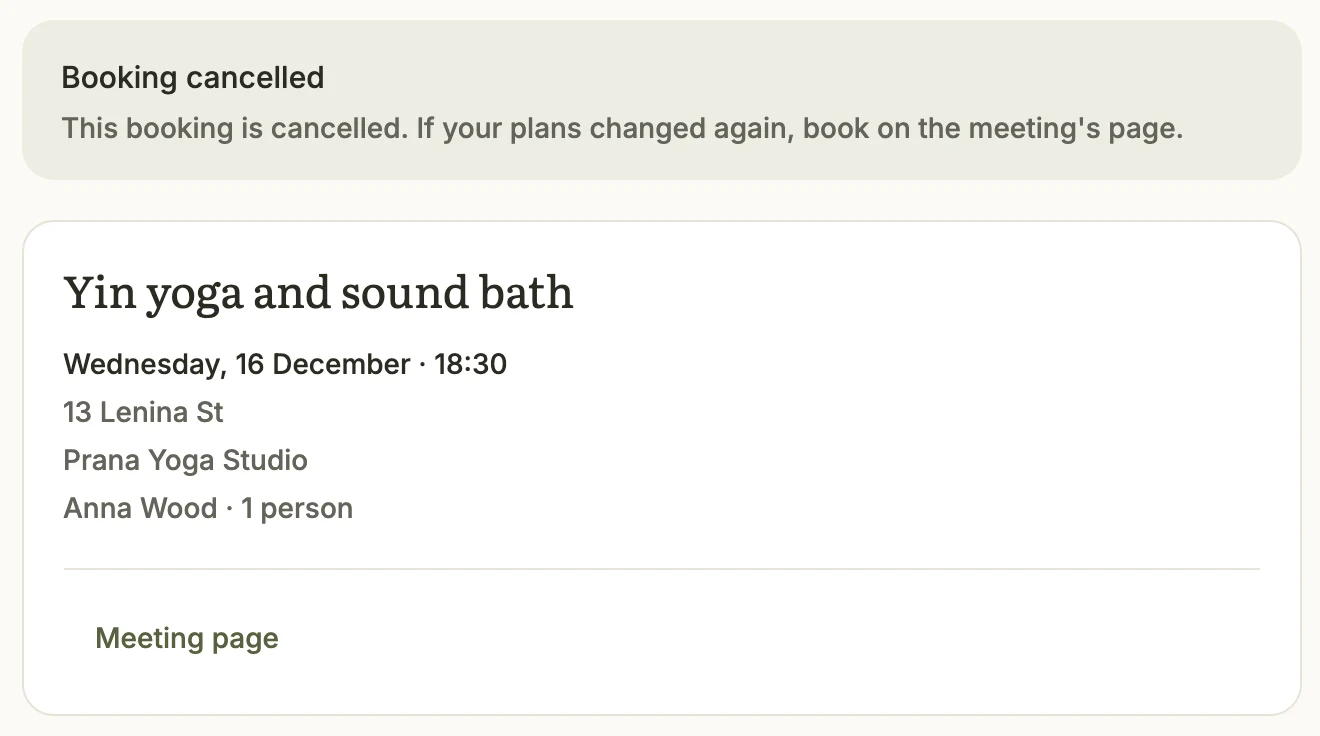
A cancelled booking on the booking management page. Contact the organizer if details are unclear
Use the contact option on the event or organizer page. If you booked on an external site, check your status there or in the email from that booking service.


If the event page no longer opens
Check the latest message about the event. If you have the organizer’s contact details, ask whether it was cancelled and whether there’s a new date.
How to book or contact the organizer