
How to book or contact the organizer
The way you join depends on the event. Its page may offer online booking, a booking link or the organizer’s contact details.
Where to find it in Gnezdo
Event page → Book or Contact organizer
Choose how to take part
Check the date, venue and participation details. To book through Gnezdo, open the form or continue in Telegram. If you see Without Telegram, select it to open the web form. Book ↗ opens an external site. If you see Message the organizer, choose a contact channel and arrange participation directly.
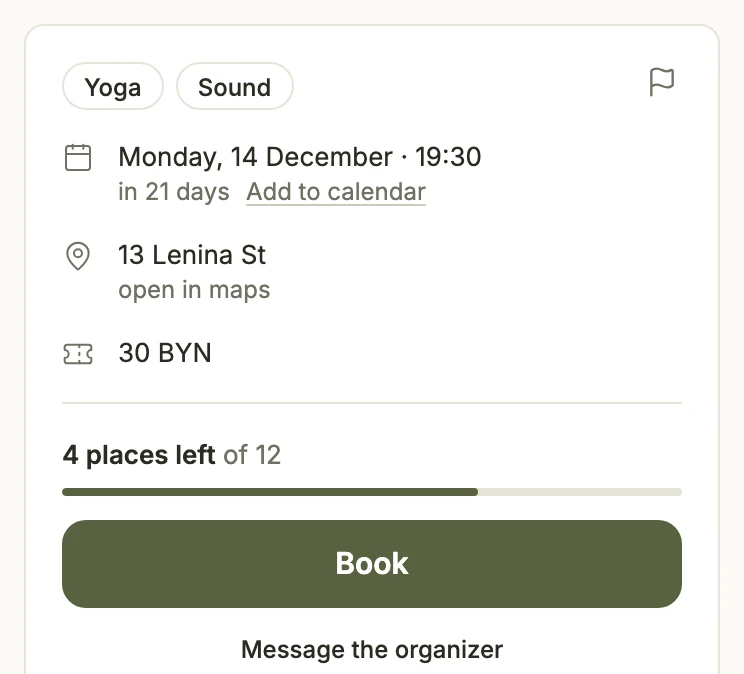
Find the booking button with the event details. Send a request or book a place
Fill in the required fields, check the number of guests and submit the form. With manual confirmation, wait for the organizer’s decision. With automatic confirmation, you see the confirmed status right away.
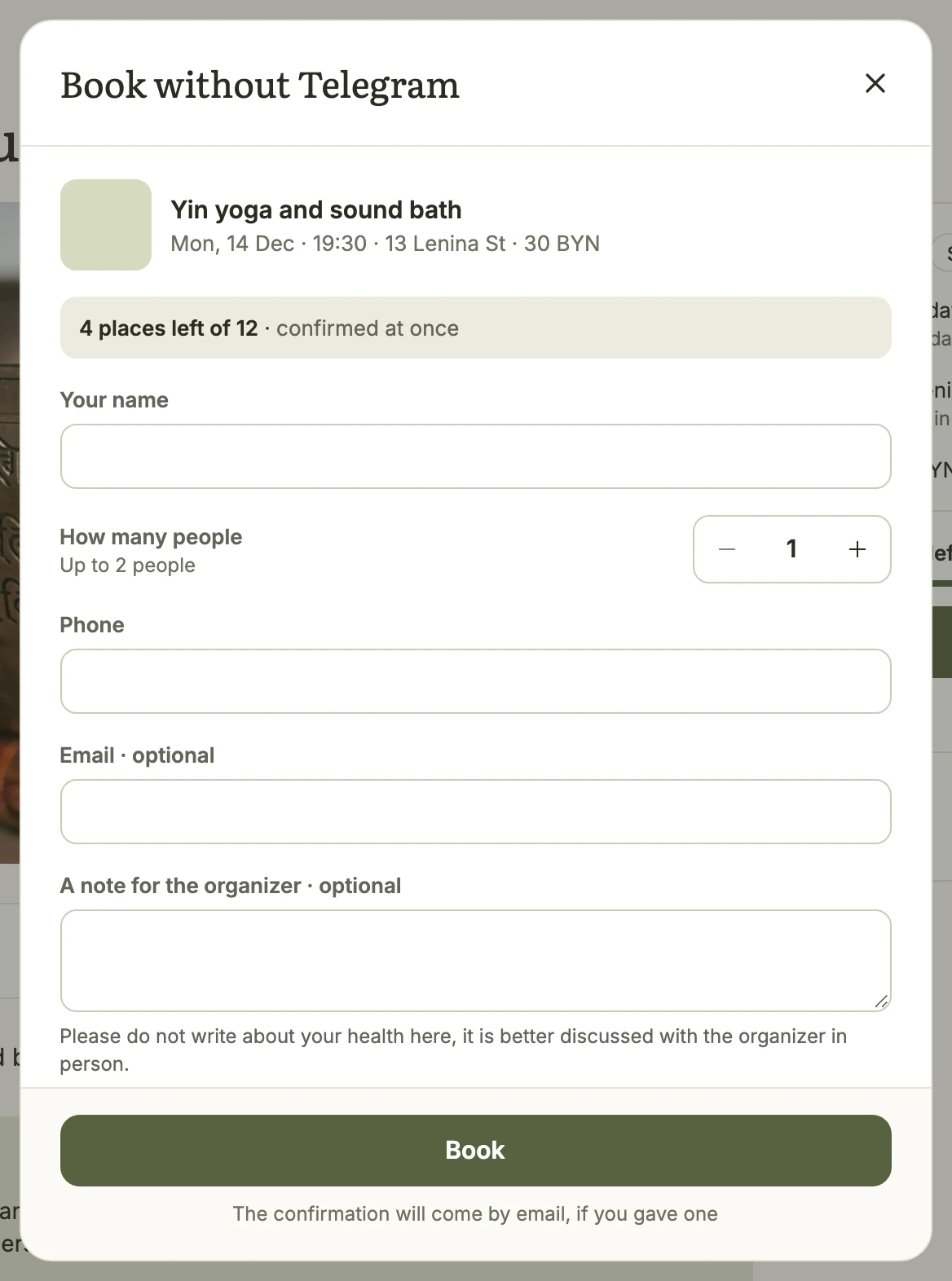
The form shows which details the organizer asks for. Check your status
A waitlist place is still unconfirmed. If you booked while signed in, open Saved and find Your bookings. If you booked as a guest, return to the event in the same browser or use the management link if you received one.


If your plans change
Cancel from the booking status or your management link. If you arranged participation directly, tell the organizer through the same channel.
How to find an event in your city