How to get access to your page
Once you have access, you can edit your page, manage announcements and add events.
Where to find it in Gnezdo
For organizers → Find your page
Find your page
Start on the For organizers page. If your page already exists, open it and select “This is my page”. If you don’t have a page yet, request one.
Send your request
Tell us your role and leave a way to reach you. If you started as a guest, select Continue and sign in. Gnezdo keeps your details in this browser. Return to the request after signing in and send it.
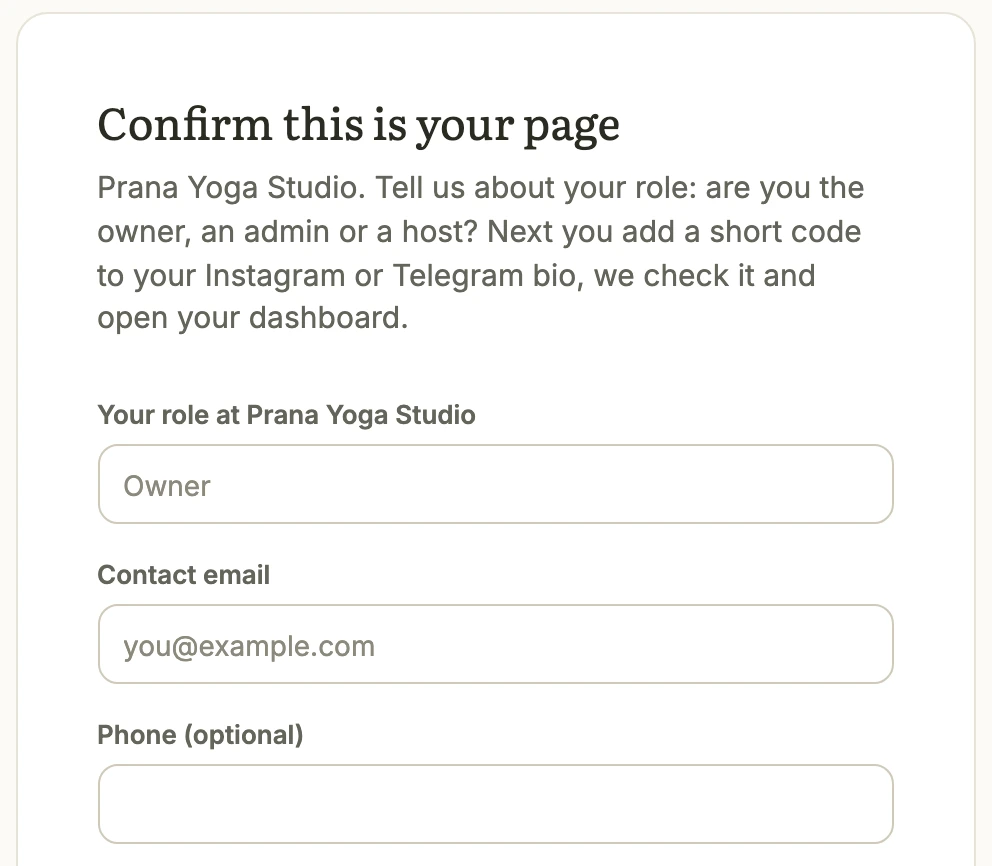
Enter your role and contact details in the request form. Verify the account and wait for a response
Follow the instructions on screen. If asked for a code, add it to the bio of the specified Instagram or Telegram account and start the check. Once your request is approved, you can edit the page in your dashboard.

If Gnezdo cannot find the code
Make sure you pasted the code exactly as shown into the right account’s bio. If this method is unavailable or the page already has an owner, contact support and include the link to the page.